Powered by Nano Banana (Gemini)

Every scene.
Every direction.

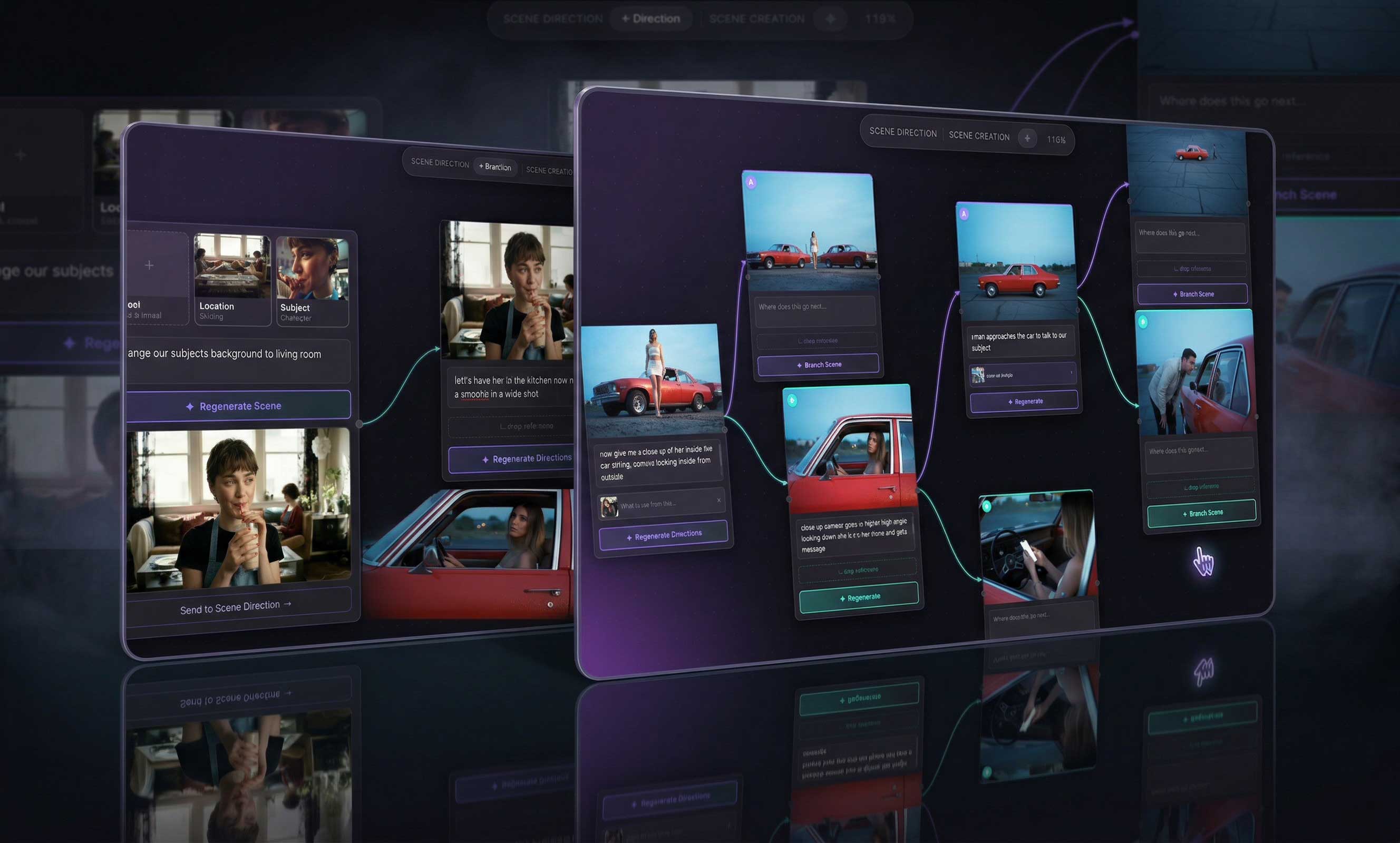
Build cinematic shot sequences, branch scenes into new directions, edit frames in-place, and combine them into something new. For directors, writers, cinematographers, and storytellers.

Start Directing — It's Free See How It Works
NextShot — cinematic shot canvas
AI-Generated Frames
Infinite Canvas
In-Place Editing
Scene Continuity
Save Projects

Everything a director needs
to think visually

NextShot gives you a visual canvas to develop your story beat by beat — branching, editing, and evolving each shot without losing continuity.

🎬
Branch Scenes
Upload a scene image, write your director's note, and instantly get two cinematic directions — a wide establishing shot and a coverage shot. Each one can branch further into a full sequence.
Edit Frames In-Place
Don't branch — just refine. Click the edit button on any generated frame and describe your change. Remove an element, adjust the lighting, age a character. Only what you asked changes; everything else stays intact.
🌍
360° Scene Control
Your scene evolves wherever you take it. Same characters, new environment. Move your subject to the kitchen, rooftop, or into an exterior — the model locks character continuity while the world changes around them.
📎
Drop a Reference
Attach a reference image to borrow a specific element — a lens style, lighting mood, or color grade. NextShot extracts only what you specify and keeps your characters and environment locked to your original scene.
🎞
Infinite Canvas
All your scenes live on a zoomable, pannable canvas. Drag nodes around, zoom in to inspect a frame, pan across your whole story map. Drop images from your clipboard or disk anywhere on the canvas.
☁️
Save & Sync Projects
Projects save automatically and sync across sessions. Sign in with Google, pick up where you left off on any device. Your canvas is always there when the next idea hits.

From a single frame
to a full shot map

01 🖼
Upload your scene
Drop any image onto the canvas — a still from a film, a photo, a mood board frame, or a screenshot. This is your starting point.
02 🎙
Write your director's note
Describe where the scene goes next. Move the camera, change the action, shift the location, or call a specific shot type.
03
Generate two directions
NextShot generates a wide establishing shot and a coverage shot — two cinematic interpretations of your note, both with full scene continuity.
04 ✂️
Edit or evolve
Refine any frame in-place with a surgical edit, or branch it further to develop the sequence — building out your full visual story.

Built for visual
storytellers

Whether you're storyboarding a feature, previsualizing a commercial, or developing a short — NextShot gives you a thinking tool that moves at the speed of your ideas.

🎬 Film Directors
✍️ Screenwriters
🎥 Cinematographers
📚 Novelists
🎮 Game Narrative Designers
📺 TV Writers
🎭 Theater Directors
📸 Commercial Directors

Start with great references

NextShot works best when you give it strong material to work from. The quality of your starting frame directly shapes the quality of what gets generated.

💡
Use cinematic stills, film screenshots, or high-quality photography
The model reads your reference image for character continuity, lighting, and spatial geometry. A well-lit, clearly composed image gives it more to work with — and produces significantly better results than a blurry, low-contrast, or cluttered reference.
Film stills High-res photography Professional BTS shots Mood board images Production design photos
🎯
Be specific in your director's note
The model responds well to concrete instructions. Instead of "make it dramatic," try "low angle, high contrast lighting, subject in foreground with blurred depth behind them." Call out shot types by name — OTS, POV, Dutch tilt, tracking shot — and the model will execute them.
✦ Powered by Nano Banana (Gemini)  ·  Built for storytellers

Your next shot
starts right here

Free to start. No setup. Drop an image, write your note, and watch your scene come to life.

Start Directing — Free